Feature · Commercial suites
Retail and office suites, captured past RoomPlan’s limits.
floorplan.fast is an iPhone app that turns a LiDAR walk-through into a dimensioned floor plan on-device using Apple RoomPlan. It runs on iPhone 12 Pro or newer Pro models with LiDAR (iOS 18+) and exports a branded PDF report, a 3000 px PNG and an R12 DXF. For commercial suites it adds segmented capture, so open floors larger than RoomPlan’s scene limit still become one merged, deduplicated plan.
- Segmented capture
- Wall dedupe 10 cm
- Object dedupe 30 cm
- Crash-safe
Problem
Open floors break residential-scale scanners.
Apple RoomPlan is tuned for rooms around residential size. In an open retail floor or office it can hit its scene-size limit or lose tracking, and a restart usually means starting over or stitching by hand.
- 01
Scan room by room
Tap Next Room between rooms; one AR session keeps every room aligned.
- 02
Auto-continue
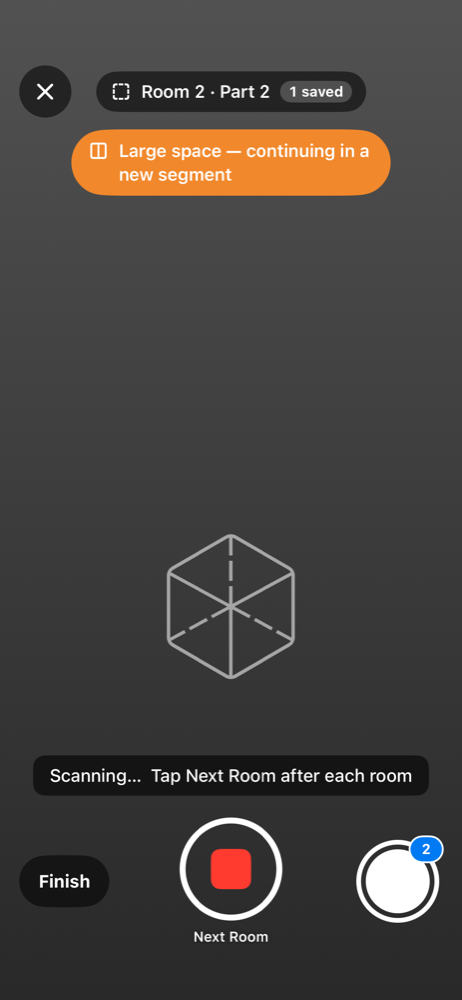
At the scene limit the app says “Large space — continuing in a new segment” and keeps going. No restart.
- 03
Merge & dedupe
Segments are unioned; duplicate walls, objects and openings are removed.
- 04
Review & export
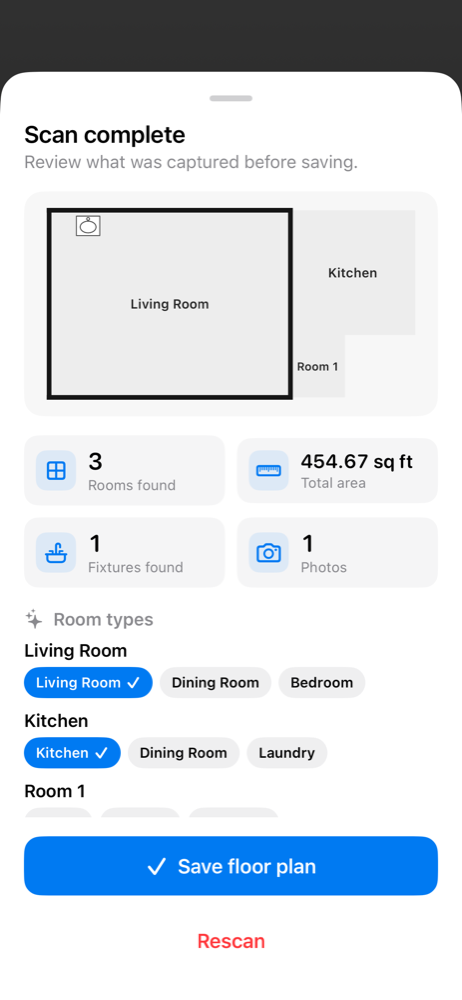
Small artifacts are flagged. Export PDF, PNG and DXF on the spot.
Specification
Commercial capture specification
| Unit kinds | Residential or Commercial; types Retail, Office, Restaurant, Flex, Other |
|---|---|
| Large spaces | On RoomPlan’s scene-size limit, the segment ends and a new one starts in the same ARKit session |
| Alignment | All segments share one world coordinate space |
| Crash safety | Each finished segment is saved to disk immediately |
| Wall dedupe | Collinear within 10 cm (~6°), >50% overlap of the shorter wall; longer wins |
| Object dedupe | Same category and layer, centers within 30 cm |
| Room merge | Overlapping polygons of the same space are unioned |
| Review | Rooms < 10 sq ft or non-closed flagged for Keep / Delete |
| Entry doors | Commercial suites default entry doors to swing out |
| Exports | Branded PDF, 3000 px PNG/JPG, R12 DXF (inches 1:1) |
Glass storefronts reflect and transmit LiDAR poorly; check storefront lines after scanning. See limitations and the full merge rules. A complete example: sample retail suite report.
FAQ
Can an iPhone scan a large open retail or office floor?
Apple RoomPlan is tuned for residential-scale rooms and stops at a scene-size limit. floorplan.fast catches that, ends the segment and continues in a new one on the same AR session, then merges the segments into one plan.
Won’t overlapping segments produce doubled walls?
The merge step removes walls that are collinear within 10 cm and overlap by more than half of the shorter wall, removes duplicate objects of the same category within 30 cm, and unions overlapping room polygons.
What happens if the app crashes mid-scan?
Each completed segment is written to disk as soon as it finishes, so you lose at most the segment in progress.
Does it calculate BOMA rentable area?
No. floorplan.fast reports measured interior area from the room polygons. BOMA rentable-area calculations are out of scope.
Pre-launch · iPhone Pro with LiDAR · iOS 18+
One plan for the whole suite.
Join early access for the iPhone app, or inspect a real sample report first.